Build the price you will actually compare
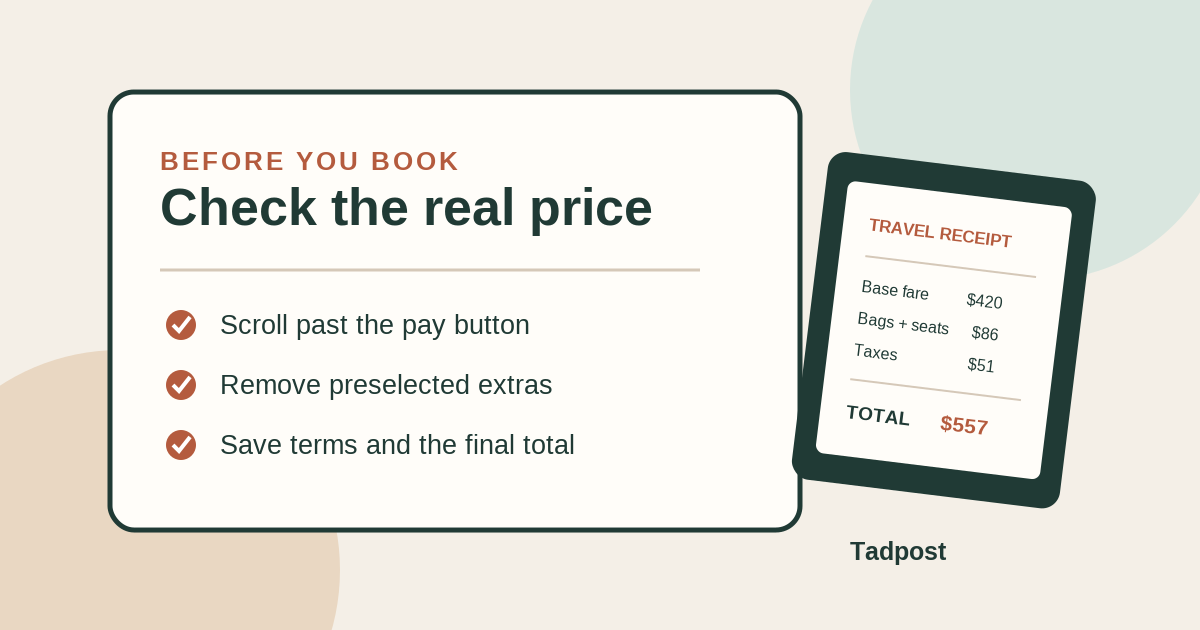
Write down the advertised price, then build a second number that includes the charges required to complete the trip. For a flight, that may include taxes, carrier surcharges, baggage, seat selection, and a change or cancellation fee if your plans are uncertain. For a hotel or rental, check taxes, cleaning or resort charges, parking, and any daily or per-stay fee shown before payment.
Do not compare one company's headline fare with another company's checkout total. Use the same trip details in both comparisons: dates, travelers, bags, seat needs, airport, room type, and cancellation terms. A lower starting price can disappear once the booking adds services that another seller included in its first quote.
For U.S. air travel, the Department of Transportation says the ticket price includes government taxes and fees plus mandatory carrier-imposed surcharges. Optional services are different. Baggage, seat selection, Wi-Fi, and extra legroom can still change what the trip costs, so check those charges separately.[3]
Inspect the last review screen
Before entering payment details, pause at the last review page and check these items:
- Final amount: Is it higher than the price you started with? Find out why before paying.
- Preselected extras: Look for checked boxes, enabled toggles, or charges that appear without a clear choice.
- Seller: Are you buying from the airline, hotel, rental company, or a third-party travel app? The seller affects who handles a cancellation or refund.[2]
- Terms: Save the cancellation, change, refund, and baggage rules before confirming. If the seller will not show those terms, do not pay.[2]
- Receipt: Check that the amount and services in the receipt match what you approved.
Keep scrolling below the large “Book,” “Pay,” or “Confirm” button. The FTC's Hopper example alleges that consumers who did not scroll down could miss two preselected charges. The agency's consumer guidance says to review every checkbox and toggle, compare the final total with the earlier price, and report charges you did not agree to.[1][4]
Check airline fees separately
Airfare rules do not make every part of a trip easy to compare. Open the airline's baggage and optional-services page before you pay. DOT says airlines must provide a clear link to those fees from the homepage and from the first screen showing a fare quote.[3]
Check whether your bag is included, whether a carry-on has size limits, and whether your fare allows changes or cancellation. If you are comparing an online travel agency with an airline's own website, repeat the same check on both sites. A convenient booking app may show a price, but you should know whether the app or the airline will handle a problem.
Treat the payment method as part of the price
The cheapest offer is not a good deal if the payment method leaves you with little recourse. The FTC warns that a travel seller demanding a wire transfer, gift card, cryptocurrency, or payment app as the only way to pay is a scam warning.[2]
Be wary of a “free” vacation that requires taxes or fees, a vague offer that does not name the hotel or cruise company, or pressure to decide immediately. Get the cancellation and refund policy before you pay. Use the company's official website or app to verify contact details instead of trusting a phone number or payment link sent in an unexpected message.[2]
Use this short comparison note before choosing:
- Final price, including mandatory charges
- Optional extras you need
- Baggage and seat costs
- Cancellation and change terms
- Seller and customer-service contact
- Payment method and receipt
Save a screenshot or PDF of the final price and terms. If the receipt later differs from what you approved, you will have a clearer record of the problem.
If a fee appears after payment
Compare the receipt with the final review screen and your saved terms. Contact the seller through its official website or app, not a phone number from an unexpected message. Ask for an itemized explanation and a refund of any charge you did not authorize.
If you see a hidden charge or paid for something you did not agree to, the FTC says you can report it at ReportFraud.ftc.gov.[1] For a flight problem, keep the itinerary, receipt, fee breakdown, and your communication with the seller. Those records make it easier to explain exactly what changed.
A few minutes of checking cannot guarantee a trouble-free trip. It can keep an attractive first price from becoming an expensive surprise at the last screen.
Sources
- FTC, Booking holiday travel? Hidden fees can cost you, checked November 27, 2026.
- FTC, Avoid Scams When You Travel, checked November 27, 2026.
- U.S. Department of Transportation, Buying a Ticket, checked November 27, 2026.
- FTC, Complaint against Hopper, checked November 27, 2026.